Projects that stay organized
Keep repository work together and general conversations close at hand.
 GroxStudioThe missing GUI for Grok Build.
For macOS 26.0 and later. Uses your existing Grok CLI account and sessions.
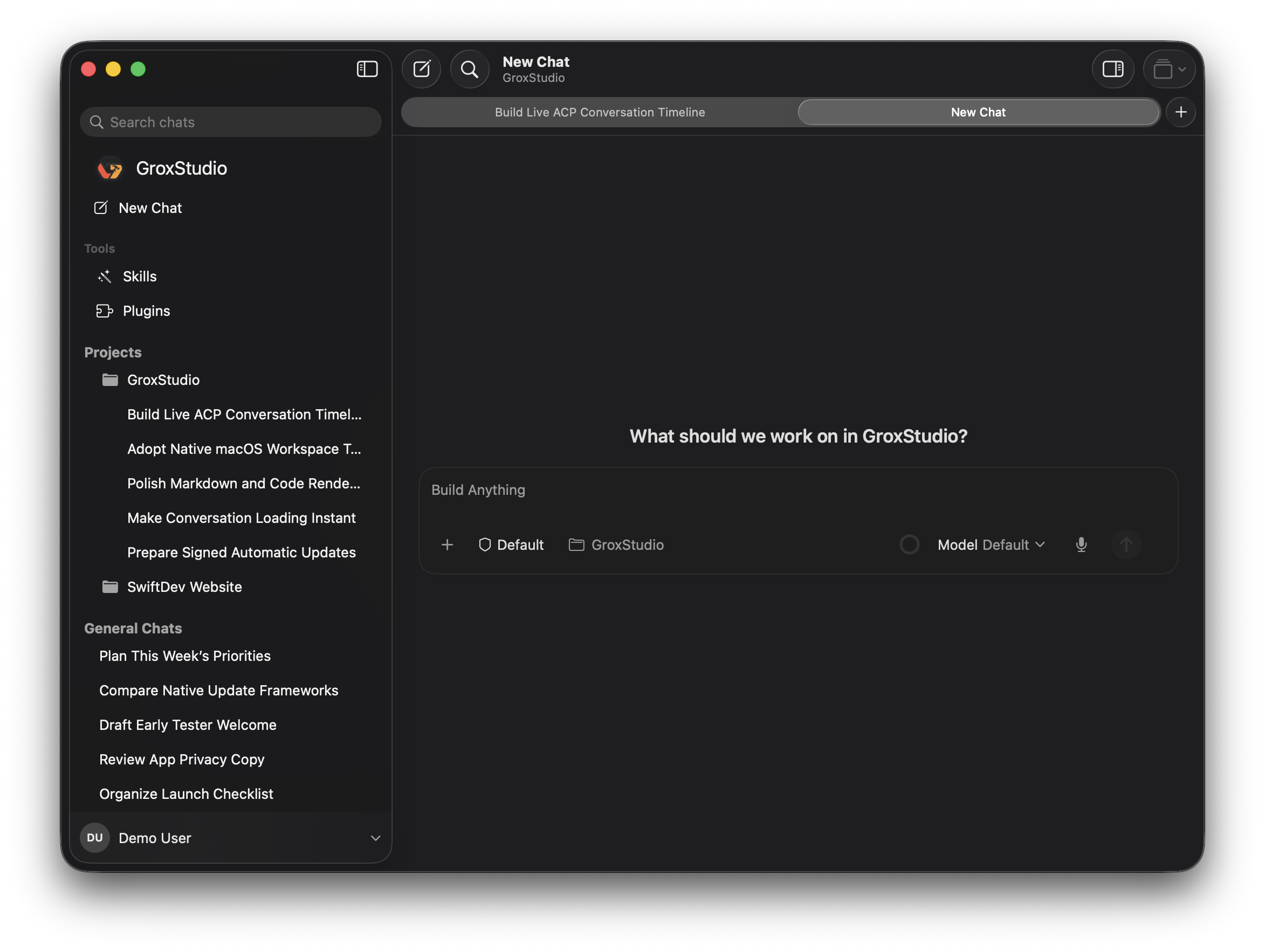
Move between repositories and conversations without losing the thread.
Keep repository work together and general conversations close at hand.
Open several conversations at once and return to the same place in each one.
Follow plans, tool calls, permissions, file changes, and delegated work alongside the conversation.
Open local Grok CLI history in GroxStudio and continue working from the command line whenever you want.
Start with a project, keep an eye on the work, and move on without losing context.
Find recent sessions by project or open a general chat for everything else.
Plans and tool activity stay readable instead of disappearing into terminal output.
Tabs remember their place, so switching tasks does not mean starting over.
 Grox Connect
Grox Connect is the separate Mac app for choosing capabilities, reviewing activity, and disconnecting access.
Meet Grox ConnectInstall GrokStudio, sign in to Grok CLI, and your local sessions are ready to organize.